Excel 2003 Training Tutorials - e-Learning - Excel Training - Self paced - Courses UK

Affordable Online Computer Courses


MCSE 2003 Training
MCSA Training
MCDBA Training
MCAD Training
MCSD Training
Mous Certification
CompTIA A+ Training
CompTIA Network+
CompTIA Security+ CompTIA Server+
CompTIA Linux+
Cisco CCNA Training
Cisco CCDA Training
CCNP BSCI Training
CCNP BCMSN Training
CCNP ISCW Training
CCNP CIT Training
Lotus Notes Training
Novell CNE Training
Solaris 8 Training
Sybase Training
CIW Foundations
Internet Marketing
ICDL Training
ECDL Training
Quickbooks Training
Groupwise Training
Data Warehousing
Project Server 2003
 
 
Windows 2003 Training
Windows XP Help
Windows Training
Windows NT4 Help
UNIX Tutorial
V.Studio .NET/ ASP
C++ Tutorial
SQL Server 2000
Visual Basic Tutorial
Visual C Training
Visual C# XML Training
Visual Studio .NET
Visual interdev
Oracle 10g Training
Powerbuilder Tutorial
SAP Training
SAS Training
Crystal Reports Training
OOP Training Course
Focus Training


Excel 2003 Training

Our Excel 2003 Training enables you to turn data into information with powerful tools to analyze, communicate, and share results. Excel 2003 can help you work better in teams, and help protect and control access to your work. In addition, you can work with industry-standard Extensible Markup Language (XML) data to make it easier to connect to business processes.

Learn How To...

  • Identify the features of Excel 2003 that help in extending workbook capabilities, analyzing
  • Data, and sharing information effectively
  • Identify Excel 2003 features related to enhanced user experience
  • Identify the components of the Excel 2003 interface
  • Identify the features of the Excel 2003 Help system
  • Create a workbook
  • Open a workbook
  • Select cells in a worksheet
  • Move data in a worksheet
  • Edit a worksheet
  • Specify number formats for numeric data
  • Align and format data in a worksheet using basic formatting options
  • Change cell dimensions and formatting
  • Apply conditional formatting
  • Create styles
  • Create templates.
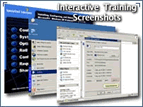
"Realistic Simulations"
So you can see how Microsoft Excel really works. All Courses also include pre and post-test which identifies individual strengths and weaknesses, allowing you to take only the units you haven't mastered and test how well you've mastered the completed Module.
   
 The Instant Mentoring window appears directly within your courses. Instant Mentoring allows you to type a question and receive a immediate response from a subject matter expert available 24/7 to help you succeed! MORE...


Excel 2003 Training

 
Excel 2003 Training
 
Try a
Demo
 
Usual Price
£132
Our
Price
12 Months Access:
UK:75
US:$131
Eur:€110


  65%  
This series is designed for beginning and intermediate Excel users. This series teaches learners about creating and editing spreadsheets, what's new in the 2003 version, the Excel interface, navigating, editing, and working with text, values, and formulas, printing, formatting, creating charts and databases, and using images and hypertext in a spreadsheet.
  • EASY.....start your online training course within the hour
  • Available 24 hrs/day 7 days/week
  • High quality Web-based Training / e-Learning
  • Train ALL YEAR for 1 low price
             
Click the "Sign up Button" (above) to sign up for 12 months access to this course or buy our MS Office 2003 Value pack (this Course plus 14 other courses), if bought separately £1,050. Value Pack price:
Only £250! Save £800
MORE...  


Excel 2003 Modules Outline:  
Excel 2003 - Getting Started
  • What is Excel
  • Cells and worksheets
  • Opening Excel
  • Toolbars
  • The Formula bar and worksheet window
  • The Status bar, task panes, and scrolling
  • Moving in the worksheet
  • Using menus
  • Shortcut menus and dialog boxes
  • Getting help
  • Online help and exiting Excel
Microsoft Excel 2003 - Creating a Spreadsheet
  • Data entry
  • Text and values
  • Fixed decimal places
  • Dates and formulas
  • Complex formulas
  • Editing cells
  • Speech recognition
  • Dictation and voice command
  • Handwriting and AutoComplete
  • Using AutoFill
  • Special symbols and shortcuts
  • Using functions
  • Using AutoSum
  • Saving your worksheet
Microsoft Excel 2003 - Formatting Data
  • Selecting cells
  • Using AutoFormat
  • Moving toolbars
  • Using the Format Cells dialog box
  • Dates and special numbers
  • Calibrating columns
  • Changing fonts
  • Altering the alignment
  • Altering cell appearances
  • Patterns and format painter
Microsoft Excel 2003 - Editing and Printing Worksheets
  • Opening workbooks
  • Finding files
  • Using the Search task pane
  • Undo and redo
  • Editing with drag and drop
  • Copying formulas
  • Cut, copy, and paste
  • Deleting and inserting cells
  • Correcting errors
  • Print preview
  • Selecting print options
  • Page setup
  • Headers and footers
  • Setting sheet options
  • Controlling page breaks and formulas
Microsoft Excel 2003 - Managing Worksheets
  • Viewing worksheets
  • Headings
  • Comments
  • Assigning names
  • Find and replace
  • Researching and calculating
  • Protecting your work
  • Maintaining multiple worksheets
  • Editing multiple worksheets
  • Naming and arranging sheets
  • Manipulating worksheet windows
  • Comparing and copying worksheets
  • Summary worksheets
Microsoft Excel 2003 - Charts and Databases
  • Using the Chart Wizard
  • Editing charts
  • Changing the chart options
  • Adding images
  • WordArt and organizational charts
  • Grouping and hiding images
  • Creating a database
  • Adding e-mail and Web addresses
  • Viewing and finding records
  • Sorting records
  • Using AutoFilter
  • Custom AutoFilters
Microsoft Excel 2003 - Hypertext and Tips
  • Adding hyperlinks to a workbook
  • Following hyperlinks
  • Editing hyperlinks
  • Saving a static Web page
  • Interactive Web pages
  • Interactive databases and charts
  • Editing Web pages
  • Saving and sending worksheets
  • Top ten features
  • Top ten beginner basics
  • Ten commandments of Excel 2003
 
           Excel 2003 Training Tutorial Training Tutorials - e-Learning - Distance Learning - Self paced - Courses